Know. Protect. Relax.
Meet SafetyKit, the parent's AI safety guide. Ask a question, and it runs trusted safety checks, then tells you what it found in plain English.
Get the appiPhone and iPad today. Android soon. Free plan, no card.
How it works
Three steps, no jargon.
- Step 1Ask in your own words
Paste a link, a username, a screenshot or a number. Or just describe what happened.
- Step 2SafetyKit checks the sources
The same public tools a security professional uses: breach data, safe-browsing lists, app ratings, network scans.
- Step 3You get the next step
How serious it is, the one thing to do first, and where to do it. Tick it off and your household score rises.
One app for every worry you have online. Usernames, leaked passwords, links, apps, cameras, AI chatbots, and the number that keeps texting.

Everything explained.
Nothing to decode.
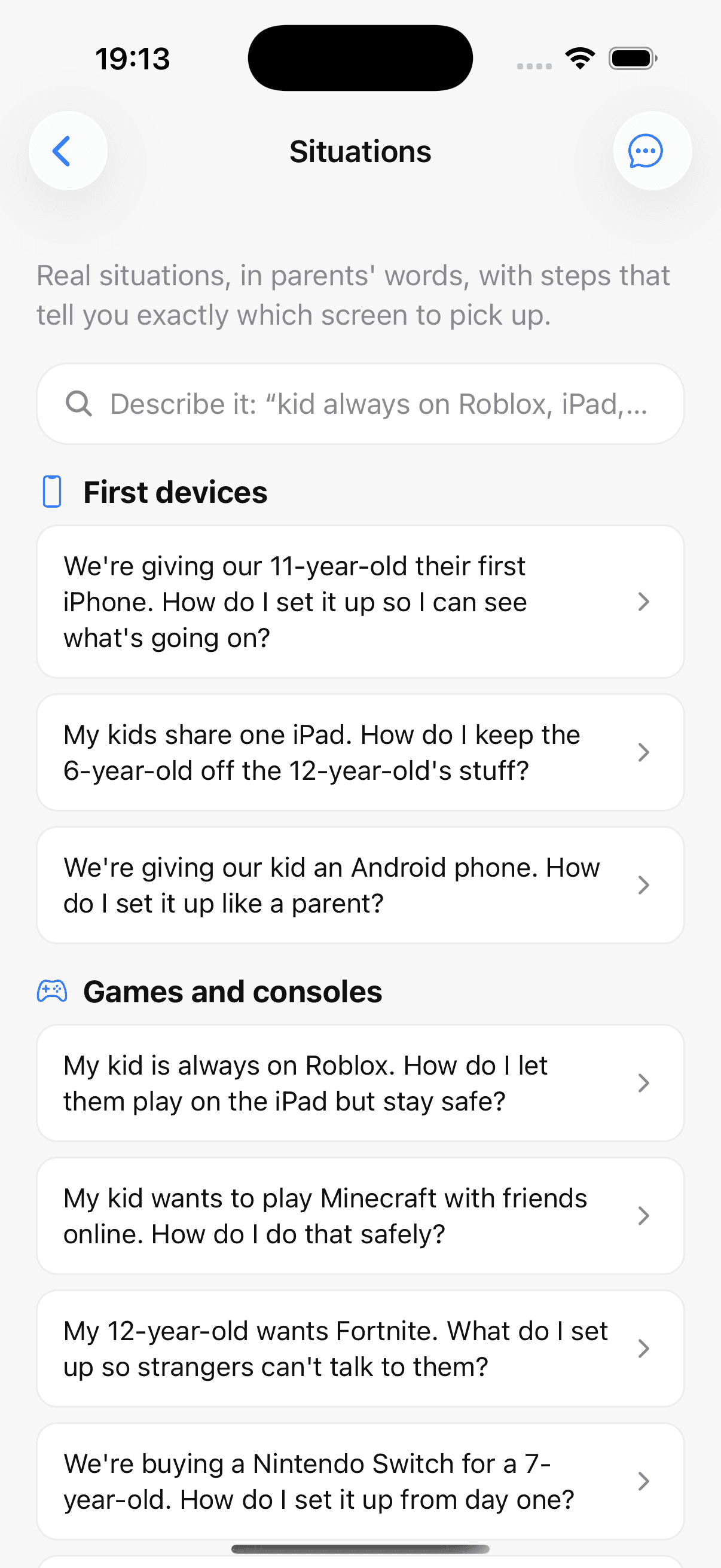
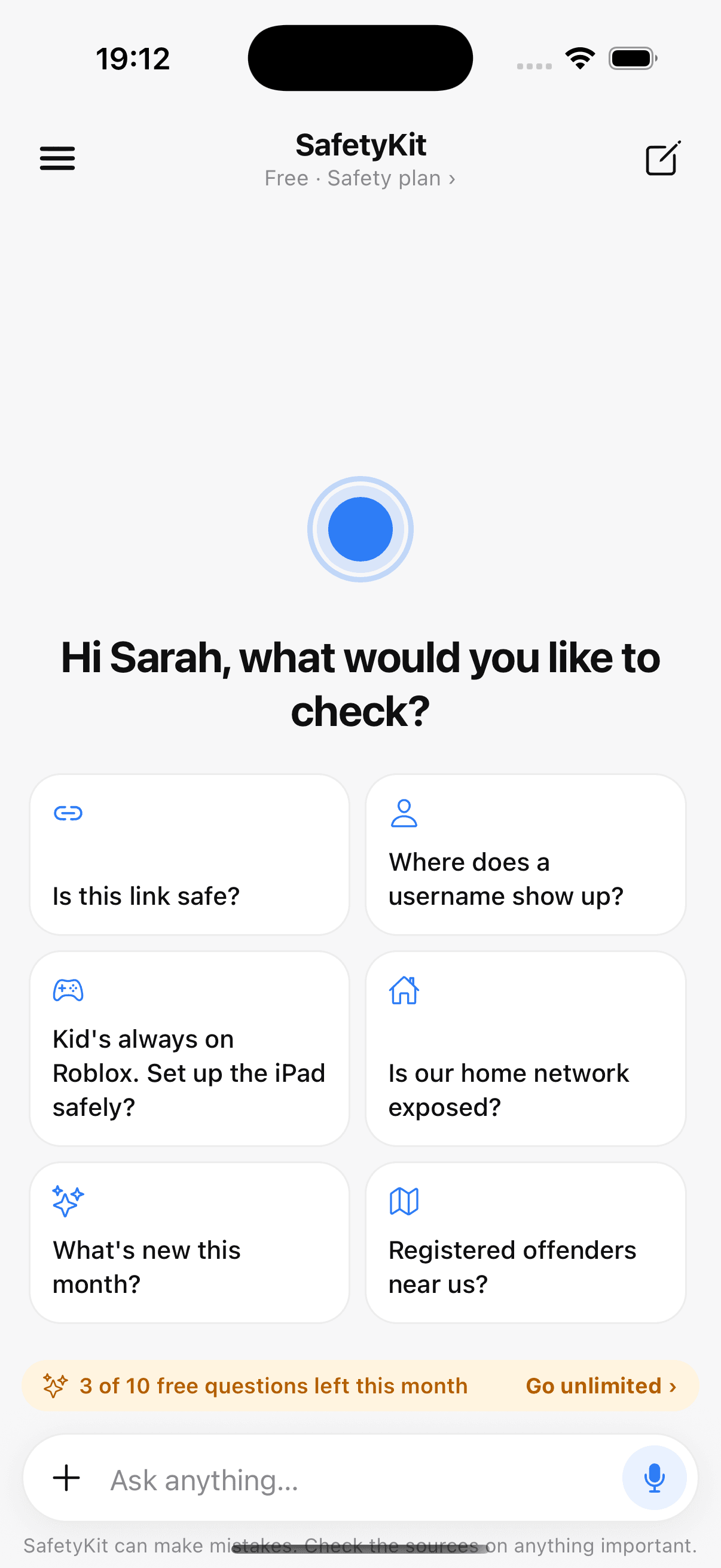
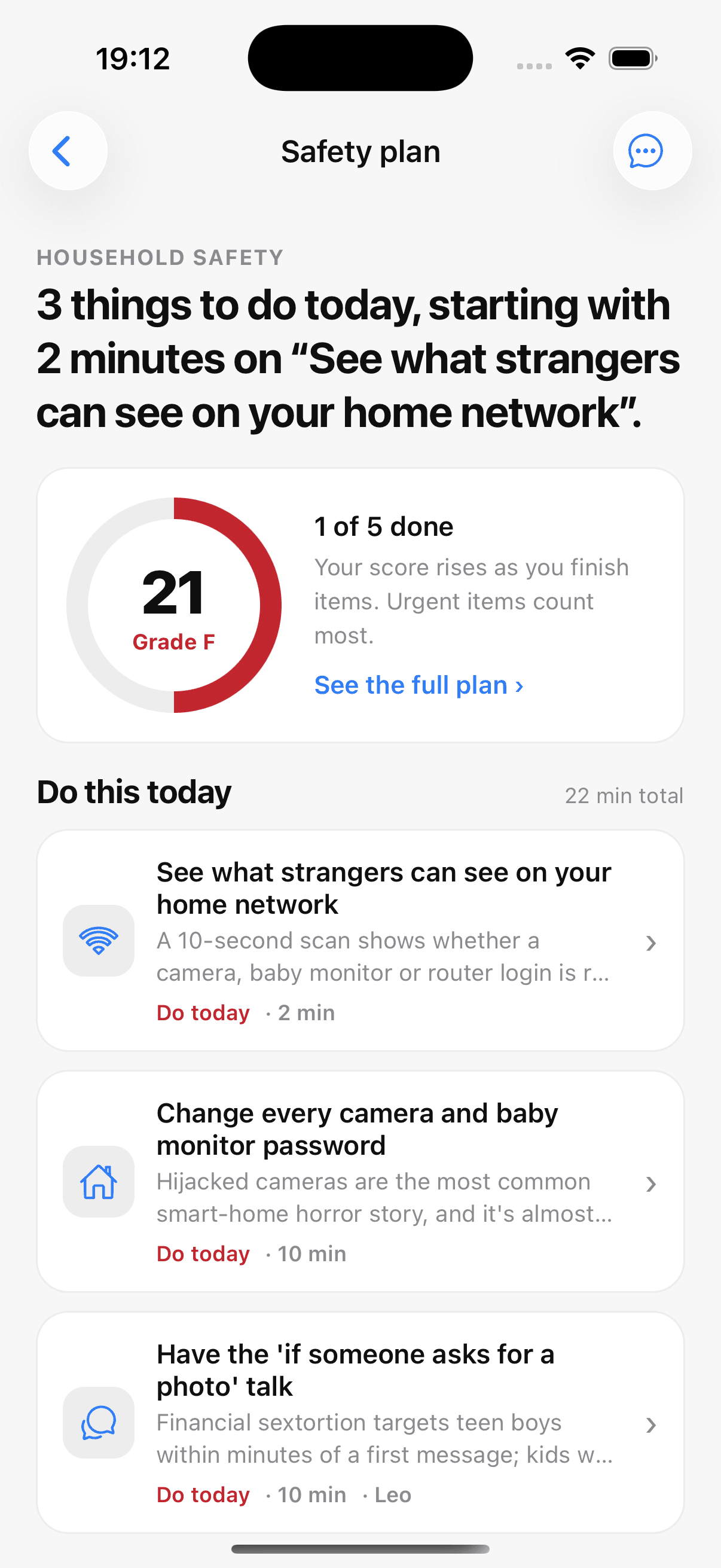
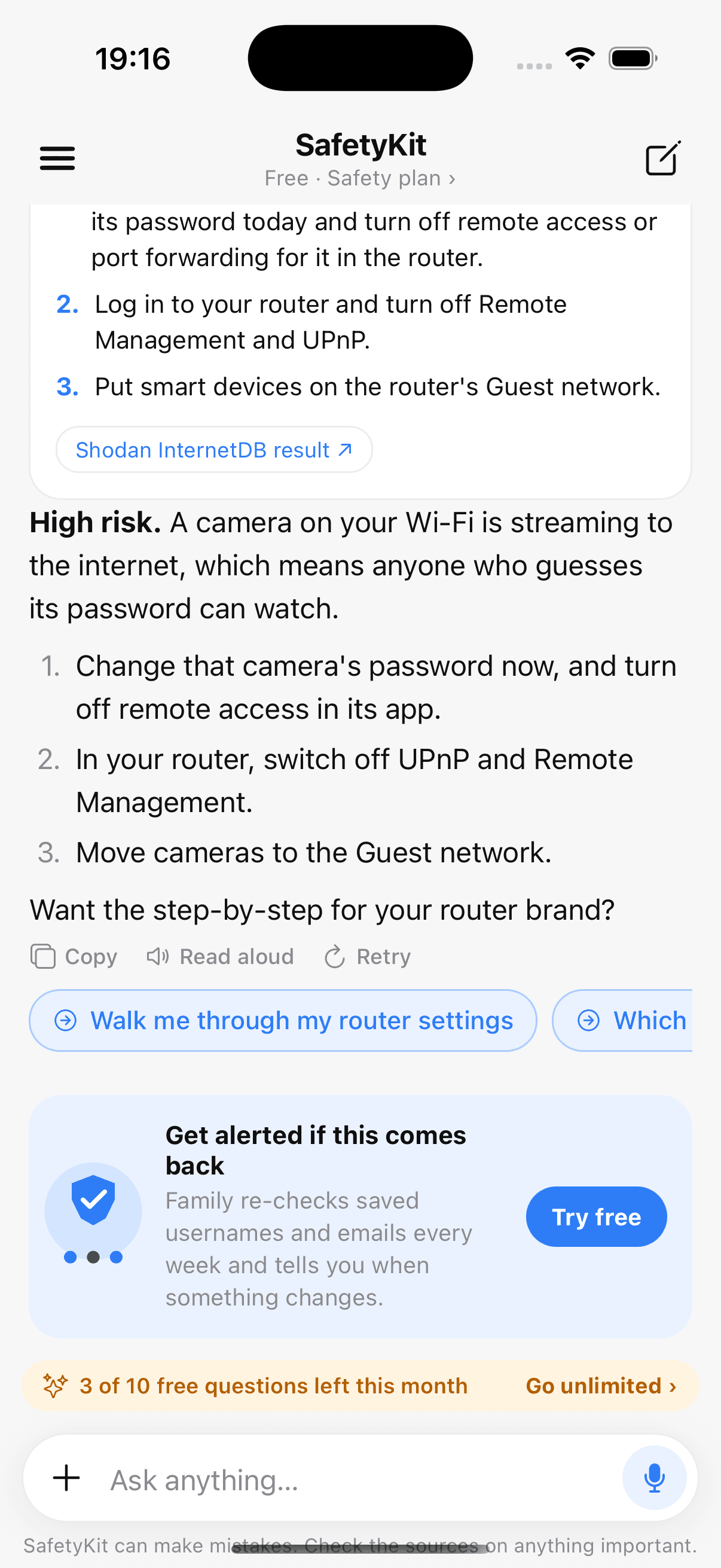
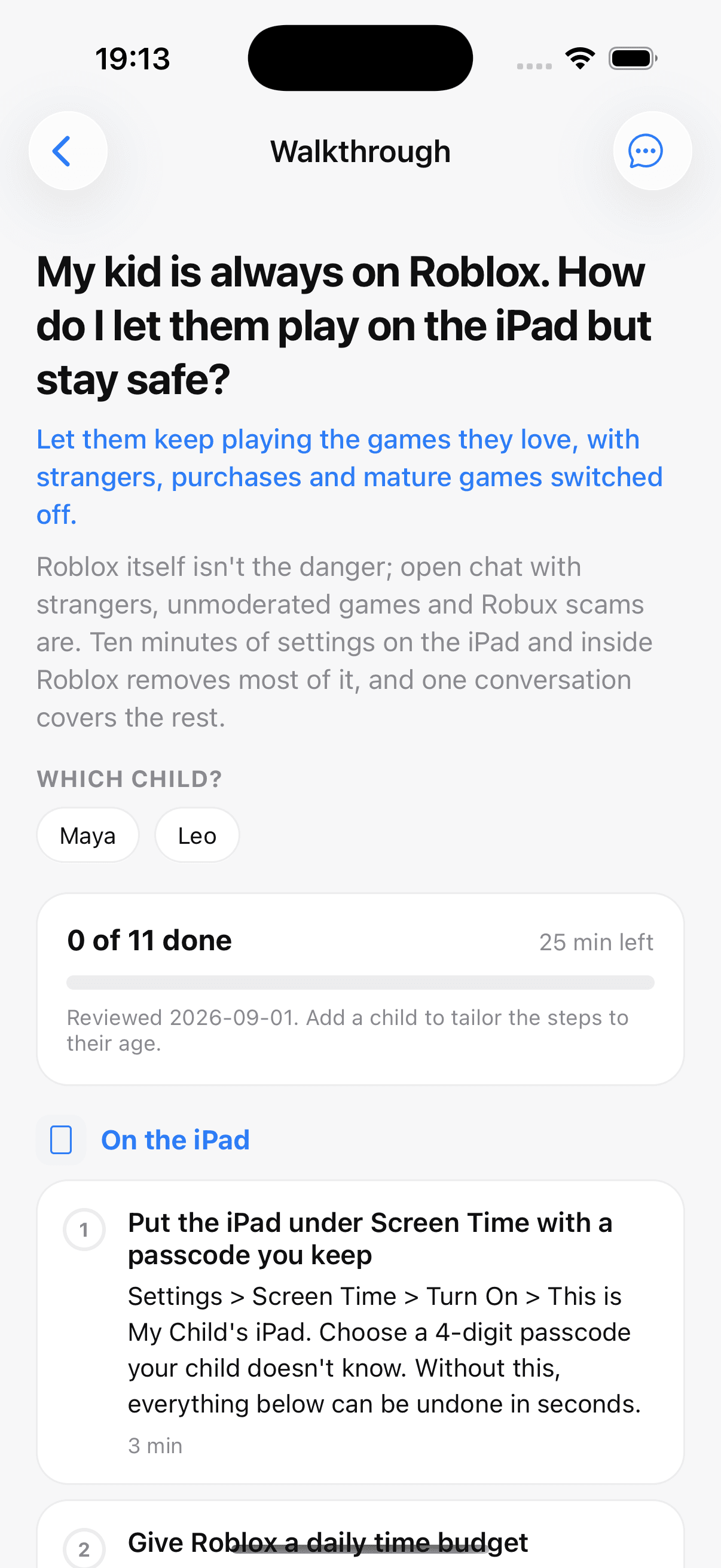
A home dashboard tells you what to do today. Every check comes back with a risk level, the next three things to do, and the sources, so you can verify it yourself.
Real, unedited screenshots of the current build, shown with sample family data.
Pricing
Peace of mind, priced fairly.
Start free. Try Plus or Family free for 7 days. Cancel any time through Apple or Google.
Free
One answer when you need it today.
No card needed
- 10 questions a month
- 5 check credits a month, 15 of the 18 checks
- 1 child
- Every situation walkthrough, read-only
- Fast AI model
Plus
Room to ask freely, for one parent and up to three kids.
per month, billed $79.99 a year
- 100 questions and 150 check credits a month
- A smarter AI model for tricky questions
- Live voice mode
- Up to 3 kids, 1 co-parent
- Tick off walkthroughs, per child
Family
Every adult and every child in the house, with roles.
per month, billed $149.99 a year
- Everything in Plus
- 200 questions and 400 check credits a month, shared
- Every kid and adult in the house, with roles
- Weekly re-checks, with an alert when something changes
- Priority support
- No hidden caps: the numbers above are the limits, and the app shows what you have left.
- All 18 checks are on Plus and Family; 15 of them are free.
- Prices in US dollars. Billing and refunds are handled by Apple or Google.
Most checks use 1 credit. The registered-offender lookup uses 25 and the profile-photo check 4, because they call licensed data, and every check shows its cost before you run it. Out of credits before the month ends? Add 25 for $2.99 or 100 for $9.99. They never expire.
New launch
Looking for our first 100 parents
SafetyKit launched in September 2026. There are no customer quotes on this page yet, because there are no customers yet. What there is: a working app, 18 checks against trusted public sources, 31 walkthroughs, and one founder who reads every message.
Founding parents talk to me, not a support queue. Tell me what confused you, what was missing, and what you would pay for.
The first 100 families set the roadmap: which situations, which apps, which checks come next.
Every answer shows its sources and says what it could not check. When a situation is beyond an app, SafetyKit says so and points you to real help.
FAQ's
Frequently asked
The questions parents ask before they trust an app with this.
Tell SafetyKit what's in your home and who your kids are, and it builds a step-by-step plan with a safety score and a short 'do this today' list. Then ask anything: it can check whether a username shows up on social and gaming apps, whether an email or password has been leaked, whether a link is a scam, whether a camera or baby monitor is visible from the internet, what Apple rates an app, whether a photo reveals its location, whether a profile photo is stolen, and where an unknown phone number or email comes from. It also keeps you informed on what's trending with kids, from new games to AI companion apps.
Download now
Built for iPhone and iPad, with Android on the way. Free to start, no card needed.